


How to Do Keyword Research From Scratch: A Beginner's Guide
Keyword research gets treated like a one-time task — do it once at launch, build a content calendar, move on. In practice it's a skill you'll use every time you plan a new page, and the difference between a beginner's keyword list and an experienced SEO's isn't the tools used, it's the filtering process applied afterward.
This guide walks through that full process using entirely free tools, so you can build a genuinely useful keyword list without spending anything.
The Four-Step Process
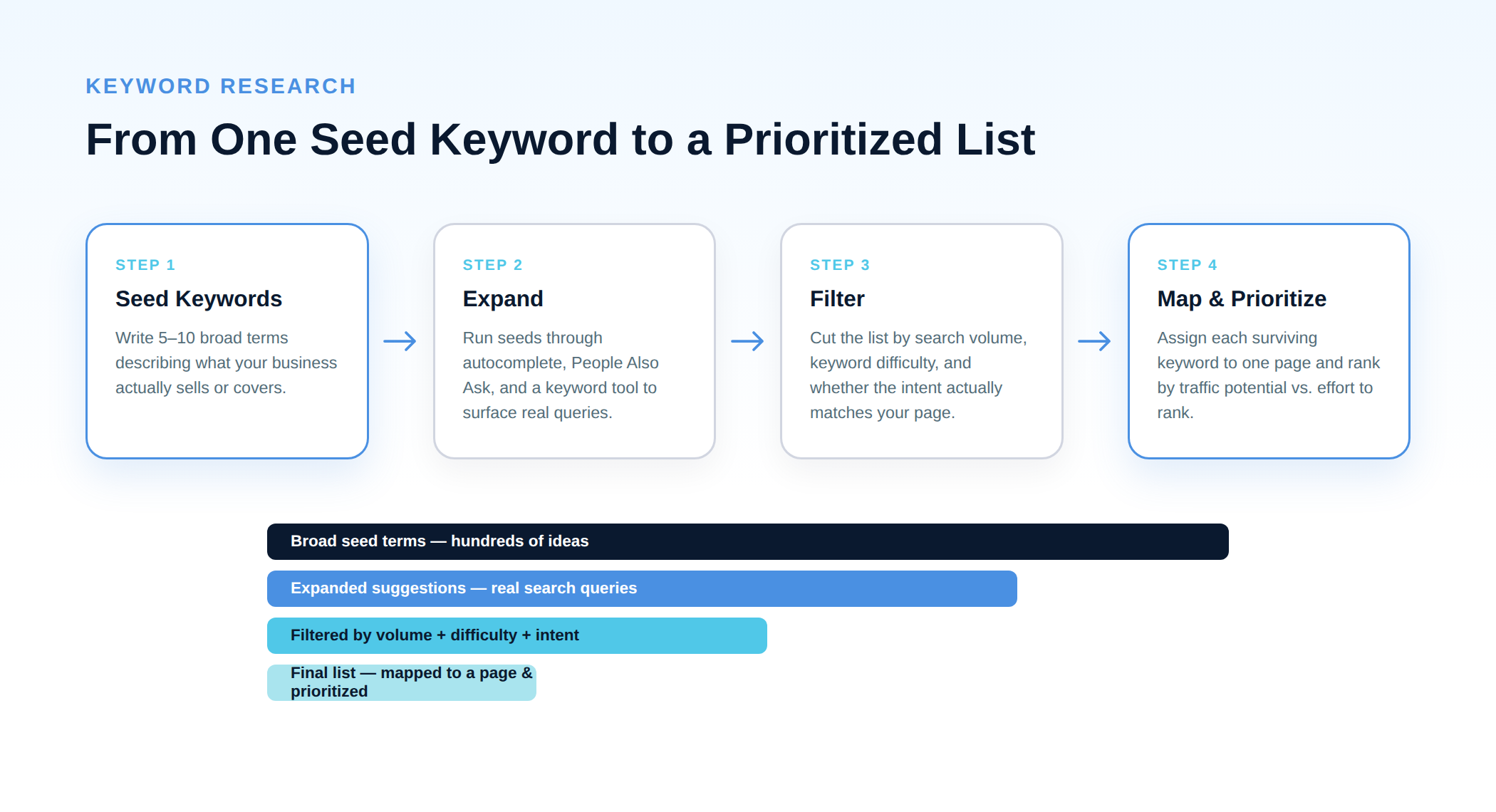
Every keyword research workflow, no matter how sophisticated, boils down to the same four stages. Understanding this structure matters more than any individual tool, because it tells you what you're supposed to be doing at each step instead of just clicking around a keyword tool hoping something useful appears.
Step 1: Brainstorm Seed Keywords
Before opening any tool, write down 5–10 broad terms that describe what your business actually does, sells, or covers. Don't overthink this stage — you're not looking for the perfect keyword yet, just a starting point each tool can expand from.
A useful trick: imagine explaining your business to a stranger in one sentence, then pull out the nouns and verbs. If you run an SEO consultancy in Malta, your seeds might be "SEO consultant," "link building," "technical SEO audit," "local SEO Malta." Generic and obvious is fine — the expansion step is where specificity comes from.
Step 2: Expand Your List With Free Tools
Take each seed keyword and run it through a few free sources. Each one surfaces a slightly different type of query, so use more than one.
- Google Autocomplete. Type your seed into Google's search bar and don't press enter — the suggestions that appear are real queries pulled from actual search data, not guesses. This is the fastest, most underused method in SEO.
- People Also Ask. Search your seed keyword and scroll to the "People also ask" box. Each question you expand often reveals two or three more — this is one of the best free sources for informational, question-based content ideas.
- Related searches. Scroll to the bottom of any Google results page for a list of related queries. Useful for catching phrasing variations you wouldn't have thought of.
- Google Trends. Not a keyword generator exactly, but essential for sanity-checking whether interest in a term is stable, seasonal, or declining before you invest content into it.
- Google Keyword Planner. Built for ad campaigns, but usable for free with a Google Ads account (no active campaign required) to pull search volume ranges and related keyword suggestions.
Tip: Don't stop at the first page of suggestions. Run your top 3–4 expanded keywords back through autocomplete again — this second pass typically surfaces longer, more specific phrases that are easier to rank for and closer to what a real searcher would type.
Step 3: Understand Search Intent Before You Filter Anything
This is the step beginners skip, and it's the one that matters most. A keyword with great search volume is worthless if the content you'd naturally write for it doesn't match what searchers actually want when they type it.
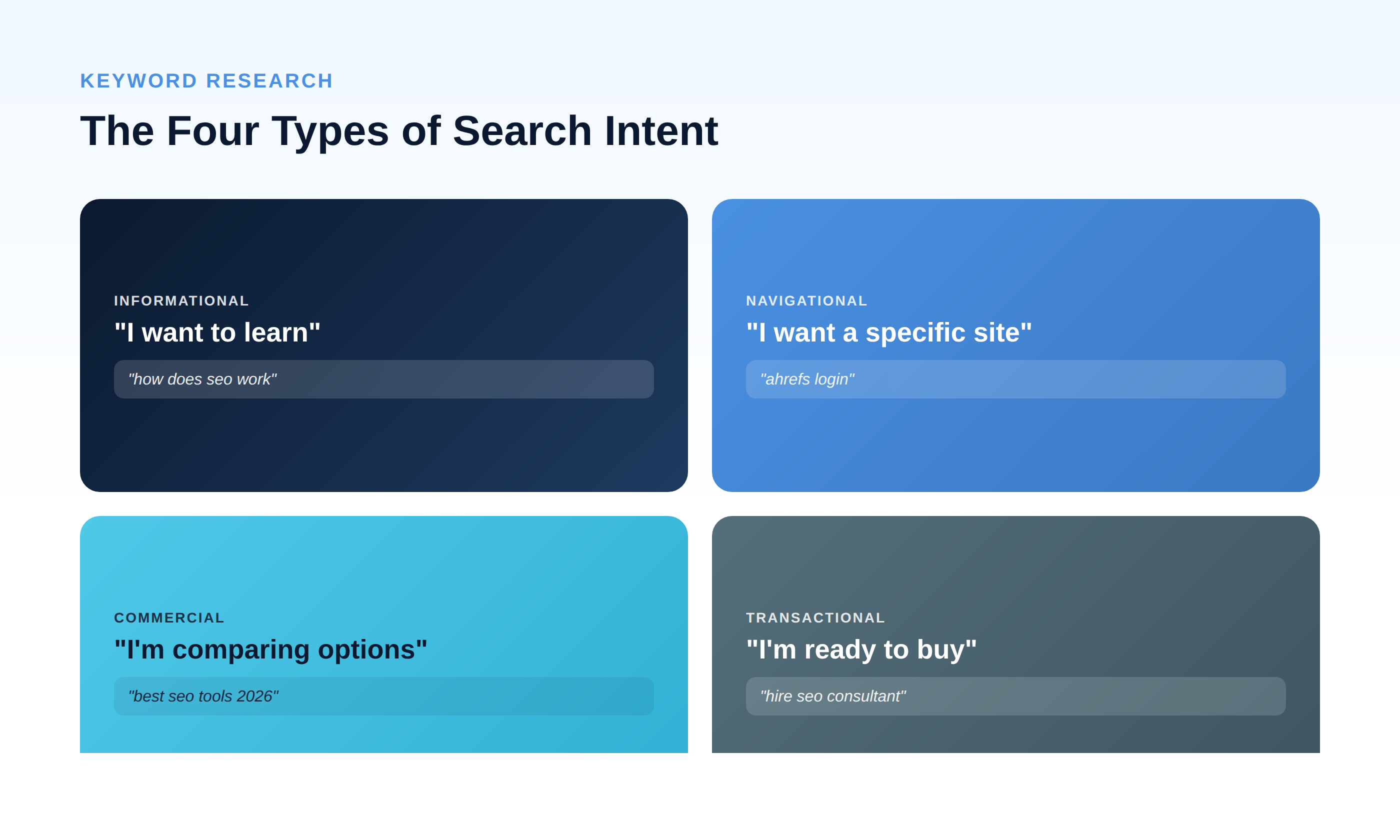
Every query falls roughly into one of four intent categories:
- Informational — the searcher wants to learn something ("how does SEO work"). Best served by guides, explainers, and tutorials.
- Navigational — the searcher wants a specific site or page ("ahrefs login"). You generally can't compete for these unless it's your own brand term.
- Commercial — the searcher is comparing options before deciding ("best SEO tools 2026"). Best served by comparisons, reviews, and roundups.
- Transactional — the searcher is ready to act ("hire SEO consultant"). Best served by service or product pages with a clear next step.
Before adding any keyword to your final list, search it yourself and look at what's actually ranking. If every top result is a product page and you're planning a blog post, that mismatch means you likely won't rank regardless of how well-written your content is — Google has already decided what type of page this query wants to see.
Step 4: Filter by Volume and Difficulty
With intent-matched keywords in hand, cut the list further using two metrics:
- Search volume — average monthly searches. High volume means more potential traffic, but usually more competition too.
- Keyword difficulty — a relative estimate of how hard the term is to rank for, based on the authority of pages currently ranking. Free and paid keyword tools both provide some version of this score, though the exact number varies by tool — treat it as a directional signal, not an absolute.
As a beginner with a newer site, don't chase the highest-volume term in your list first. A keyword with modest volume and low difficulty that you can realistically rank for within a few months will do more for your site than a competitive term you might rank for in two years, if ever. Build authority on the accessible terms first, then work upward.
Step 5: Map Keywords to Pages and Prioritize
Your final list should assign each keyword to exactly one page — either an existing page you'll optimize, or a new one you'll create. Trying to target multiple unrelated keywords with a single page dilutes your relevance for all of them; trying to target the same keyword with multiple pages creates internal competition (keyword cannibalization) that can hurt both.
To prioritize what to write first, weigh three things together: search volume (traffic potential), difficulty (how realistic ranking is soon), and business relevance (how closely the keyword connects to something you actually offer). A moderate-volume, low-difficulty, high-relevance keyword should almost always be written before a high-volume, high-difficulty, low-relevance one — even though the second one looks more impressive on paper.
Common Beginner Mistakes to Avoid
- Chasing volume over intent. A 10,000-searches-a-month keyword that wants a product listicle isn't going to reward your 500-word blog post, no matter how well it's written.
- Treating keyword difficulty scores as gospel. They're estimates from different tools using different methodologies — use them to compare terms relative to each other within the same tool, not as an absolute promise of how hard ranking will actually be.
- Building a list once and never updating it. Search behavior shifts, especially around new products, seasonal trends, or AI-driven changes in how people phrase queries. Revisit your keyword list quarterly, not just at launch.
- Ignoring what's already ranking. Five minutes spent looking at the current top 10 results for a keyword tells you more about your realistic chances than any difficulty score will.
The Takeaway
Free tools are genuinely enough to do solid keyword research — the constraint was never tool access, it's process discipline. Seed, expand, check intent, filter by realistic difficulty, then map each surviving keyword to exactly one page. Do that consistently and you'll out-plan most beginners who skip straight to a keyword tool and start typing.